GS CurveTools v1.2.8 Update - Optimization and Bugfixes

News / 27 June 2022

GS CurveTools v1.2.8 Update - Optimization and Bugfixes

Update Video:


New Features:

  • All the relevant buttons now have (optional) tooltips. Can be disabled in the Options.

Improvements:

  • Convert Curves is now out of beta (in the Options menu):
    • Card -> Card conversion will now correctly keep original orientation and profile.
    • Will now retain original materials on conversion.
    • Performance was improved.
    • Twist, Width and Profile Graphs are now applied to ALL selected curves.
  • Card to Curve algorithm was rewritten and improved:
    • Better compatibility and reliability for one-sided cards with different vert orders.
    • Optimization and speed-up of the algorithm
    • Cards with no width spans are now correctly converted.
  • Massive improvement of the Mirror operation:
    • Improved orientation and profile calculation during mirror for all Warp and Extrude cards.
    • Speed-up and optimization.
    • Much less orientation “drift” when using “Flip”.
  • Orient to Normals algorithm improvements:
    • Optimization and speed-up.
    • Increased precision with less iterations.
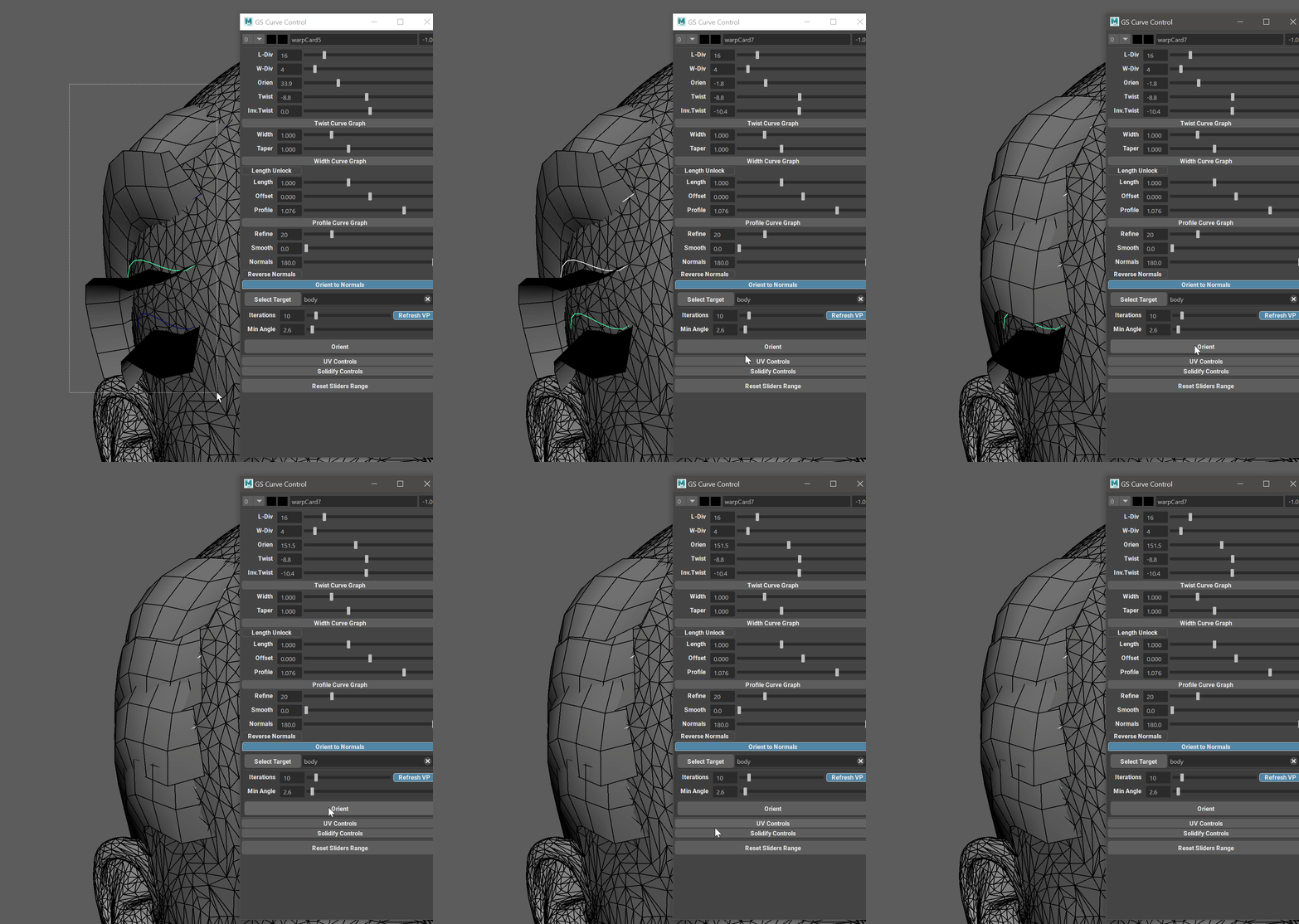
    • Cards will not flip or change orientation on continuous use on already aligned cards.
    • Reduced angle tolerance to 1 degree by default.
  • Select CVs slider was improved. Current hotkeys:
    • Shift + Drag: additive selection.
    • Alt + Drag: deselect CVs.
    • Ctrl + Drag: allows for slider movement without selection change.
  • Expanded supported texture formats list for the UV editor. Added TIFF (TIF).
    • Full list of supported texture formats: JPG, JPEG, PNG, TIF, TIFF, TGA (24bit, no RLE).
    • Also added additional info for the “Wrong format” error message. It will now specify that TGA has no support for RLE compression.
  • Minor improvements for curve creation algorithm (better refinement and divisions calculation)
  • Some minor UI adjustments

Bug Fixes:

  • Fixed a hotkey conflict with layer selection:
    • Holding Ctrl + clicking on Layer should now select the contents of that layer, and deselect everything else like intended.
    • Show Always on Top hotkey changed to Ctrl+Alt.
  • Fixed a bug where “Layer Isolation Selection” hotkey was not working properly. Now holding Shift+Alt and clicking on Layer will isolate select this layer properly.
  • Transfer UVs will now correctly transfer H-Flip UV attribute.
  • Select CVs slider will no longer deselect the last selected CV when using subtractive mode.
Report

GS Toolbox and GS CurveTools Maya 2023 Updates

News / 27 April 2022

Both GS Toolbox and GS CurveTools were updated to support Maya 2023.

GS CurveTools v1.2.7 Update

New Features:

  • Maya 2023 Support
  • Global and Per-Layer Always-On-Top toggle for curves (“Per-Layer” is only for Maya 2022+)
  • (BETA) Convert one type of Card/Tube to the other type (Warp->Extrude, and vice versa).
  • Might have issues with orientation when converting
  • Might have other issues with old Cards/Tubes
  • Recommended to use only on newly created cards/tubes (v1.2.7+) and NOT on the old ones.

Improvements:

  • Scale Factor is now stored in the scene as well as in every created curve. This will allow for better compatibility with other functions and more reliable workflows in the future.

Bug Fixes:

  • UV Bug that was in 2020 and 2022 was fixed in 2023 by Autodesk. 2020 and 2022 still have it, obviously.

Deprecation:

  • Maya 2017 support is dropped. Might work just fine with this update, but there will be no bug fixes for 2017.

GS CurveTools v1.2.7 Update Video:


GS Toolbox v1.1.6 Update

New Features:

  • Maya 2023 Support
  • Selection Sets Boolean Logic. Middle Mouse Drag or Click with Modifiers:
  • Shift + Ctrl to add selection to the layer or (combine layers if dragged)
  • Shift + Alt to get a difference between the layer and the selection (or the difference between dragged and target layer)
  • Ctrl + Alt to get an intersection between the selection and the layer (or the intersection between the dragged and target layer)

Improvements:

  • Major improvement for Duplicate and Extract functions. They will now separate only selected faces and other detached shells will stay combined with the original object.
  • Added Hotkeys:
    • Create Crease Sets
    • Creases to Bevels
    • Bake Crease Sets

Bug Fixes:

  • Fixed a bug with “Repeat Last” hotkey not working for some functions.

Deprecation:

  • Maya 2017 Support is Dropped. It might still work just fine but there will be no bug fixes for this version.

GS Toolbox v1.1.6 Update Video:


Report

GS CurveTools and Maya 2018 deformer issue

News / 24 April 2022

As this issue keeps resurfacing for some users I'm reminding you about the documentation and that it has many useful insights on those issues.

It is highly recommended to use the latest patches available for your supported version of Maya, unless it's the latest release (like 2023).

Maya 2018 patches prior to 2018.6 had issues with the deformers that affected GS CurveTools functionality.

If you ever encountered the issue where during the orientation some vertices were "stuck" in place, this is it.

Just update to 2018.6 and you are good to go.


Report

GS CurveTools and Toolbox and Maya 2023

News / 01 April 2022

About Maya 2023

I know everyone is excited to update and try new features and promised performance improvements. 

However, when you are using external plug-ins it's always a good idea to wait a bit, before updating. 

Maya 2023 is not yet officially supported for GS Toolbox and GS CurveTools. Any issues you might have with the new version (if the plug-ins will work at all) will not be considered as bugs or noted until I go through and test everything myself. 

Right now I have no time to update the plug-ins to 2023, however, it will be done and 2023 will be supported as soon as possible. 

Maya 2017 support will be dropped, as there is no way I will be able to add new features and test so many versions of Maya for bugs. It might still work just fine, as 2017 and 2018 are very similar. However, I will not actively bugfix 2017 issues after 2023 version is supported.

Report

GS CurveTools v1.2.5 Update - UV Editor & Layer Management Improvements

News / 24 January 2022

GS CurveTools v1.2.5 Update

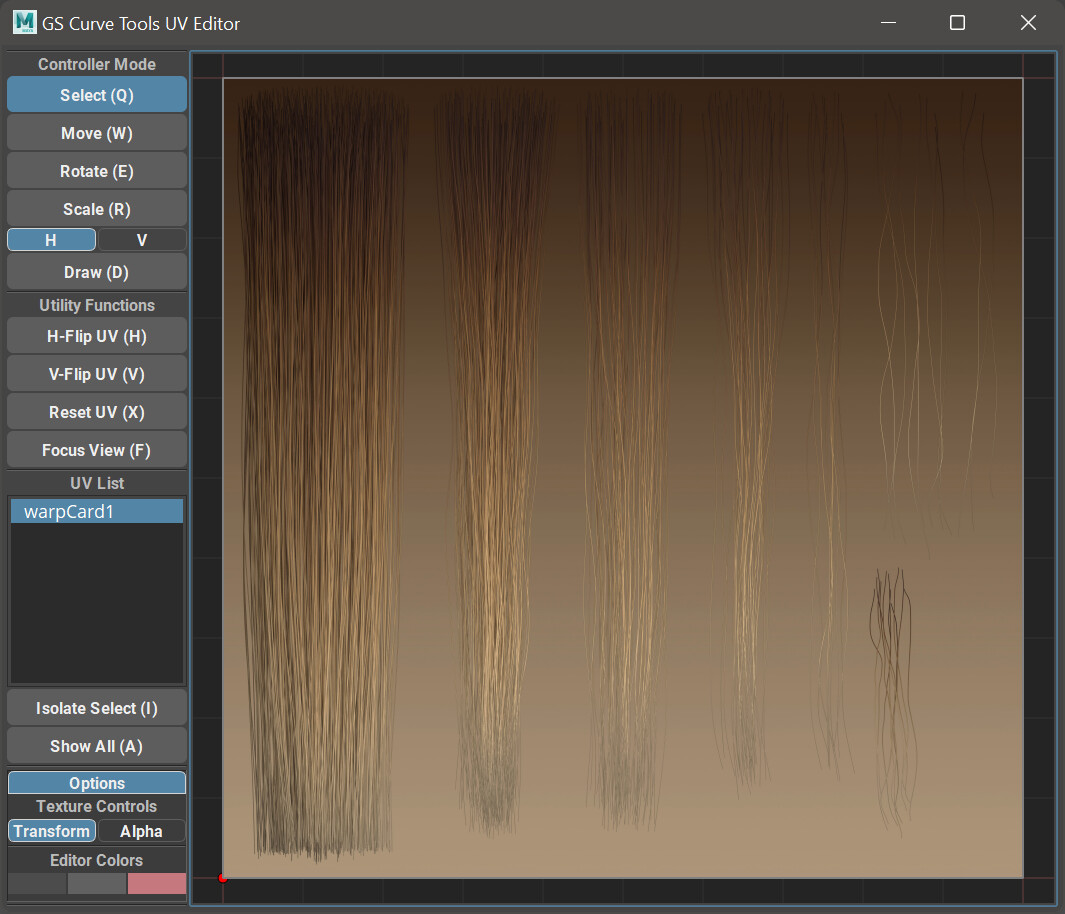
UV Editor Non-Square Texture Maps Support

This update for GS CurveTools is focused on improving the UV Editor and Layer Management System.

IMPORTANT: when updating you must reinitialize the plug-in using the initialization command from the installation steps.

UV Editor Non-Square Textures Support

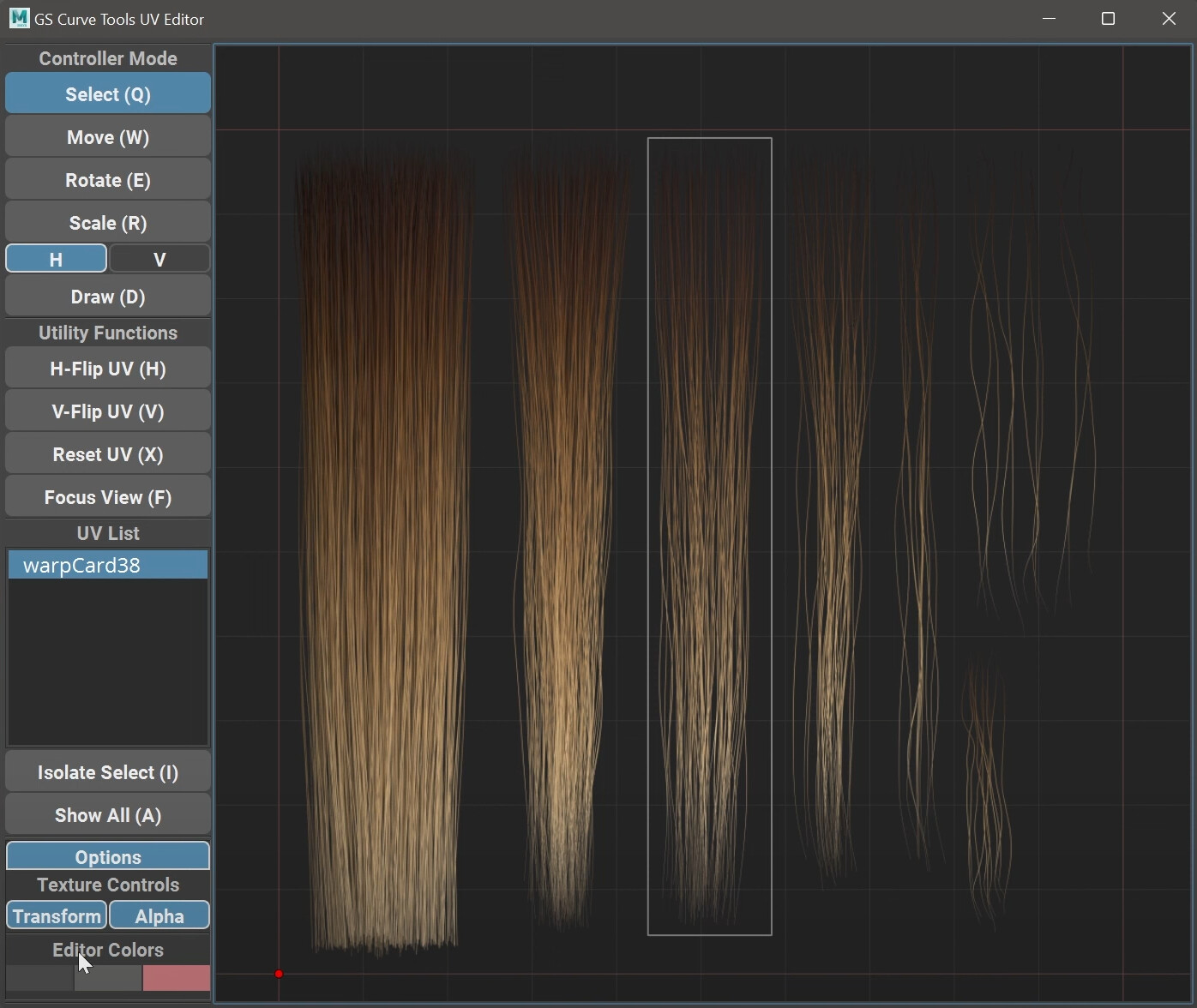
UV Editor was introduced in v1.2 in order to get rid of the tedious UV setup process. However, before v1.2.5 UV Editor was not compatible with non-square texture maps, and was displaying them incorrectly. There were workarounds, but in general that was a serious limitation to its functionality.

With v1.2.5 that was completely fixed and now any texture resolution combinations are supported. 2048x4096 or 4096x1024 or any other resolution will be correctly displayed.

UV Editor Alpha Map Support

Alpha map and Transparency is now supported as well. You can enable the transparency in the new Options tab by clicking on the Alpha toggle.

Alpha map must be connected to the Transparency plug in the material.

UV Editor Custom Viewport Colors

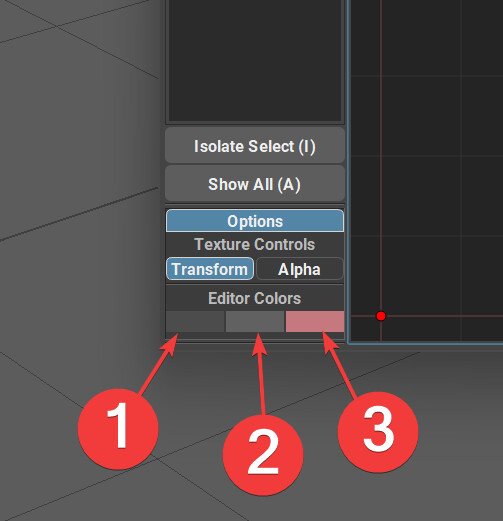
UV Editor can now be customized using Editor Colors color swatches. They control background(1), grid(2) and frame colors(3):

Those colors will be saved automatically and used in every project. To reset the colors, reset the plug-in settings to the default.

UV Editor Texture Map Transforms

Texture map preview in the UV Editor will now use Translate Frame and Coverage parameters from the place2dTexture node. Texture map will be transformed based on those parameters if Transform toggle is enabled.

Layer Customization Improvements

With v1.2.5 there is a new field in the Layer Customization Window (previously Custom Colors Window) that allows the user to name each layer individually and store those names as a global preset.

Whenever Regroup by Layer button is pressed, those names will be used as new names for the generated groups.

IMPORTANT: Don't forget to press "Set To Scene" to apply the changes to the scene or "Save to Preset" to save global preset.

More info is in the documentation: LINK

Update Video:


Report

[50% SALE] Black Friday / Cyber Days

News / 24 November 2021

Cyber Days Sale -50%

I'm happy to announce that GS CurveTools and GS Toolbox for Maya will have a 50% discount for 10 days from November 25 to December 05 during the ArtStation Cyber Days sale.

GS CurveTools

GS CurveTools for Maya simplifies the process of creating beautiful hairstyles for games by allowing for quick and easy control over hair cards using curves.

Link for a demo hair project

Full Tutorial for the latest update with timestamps:


GS Toolbox

GS Toolbox is a powerful polygon modeling tool for Maya, that simplifies the most used functions in Maya as well as adding a bunch of unique functionality like Fill with Quads, Instance+, Interactive Booleans, Procedural Arrays and more.

V1.0 Features overview (current version is v1.1, with added Arrays and improved UI):


Full Tutorial for v1.1 with timestamps:


Report

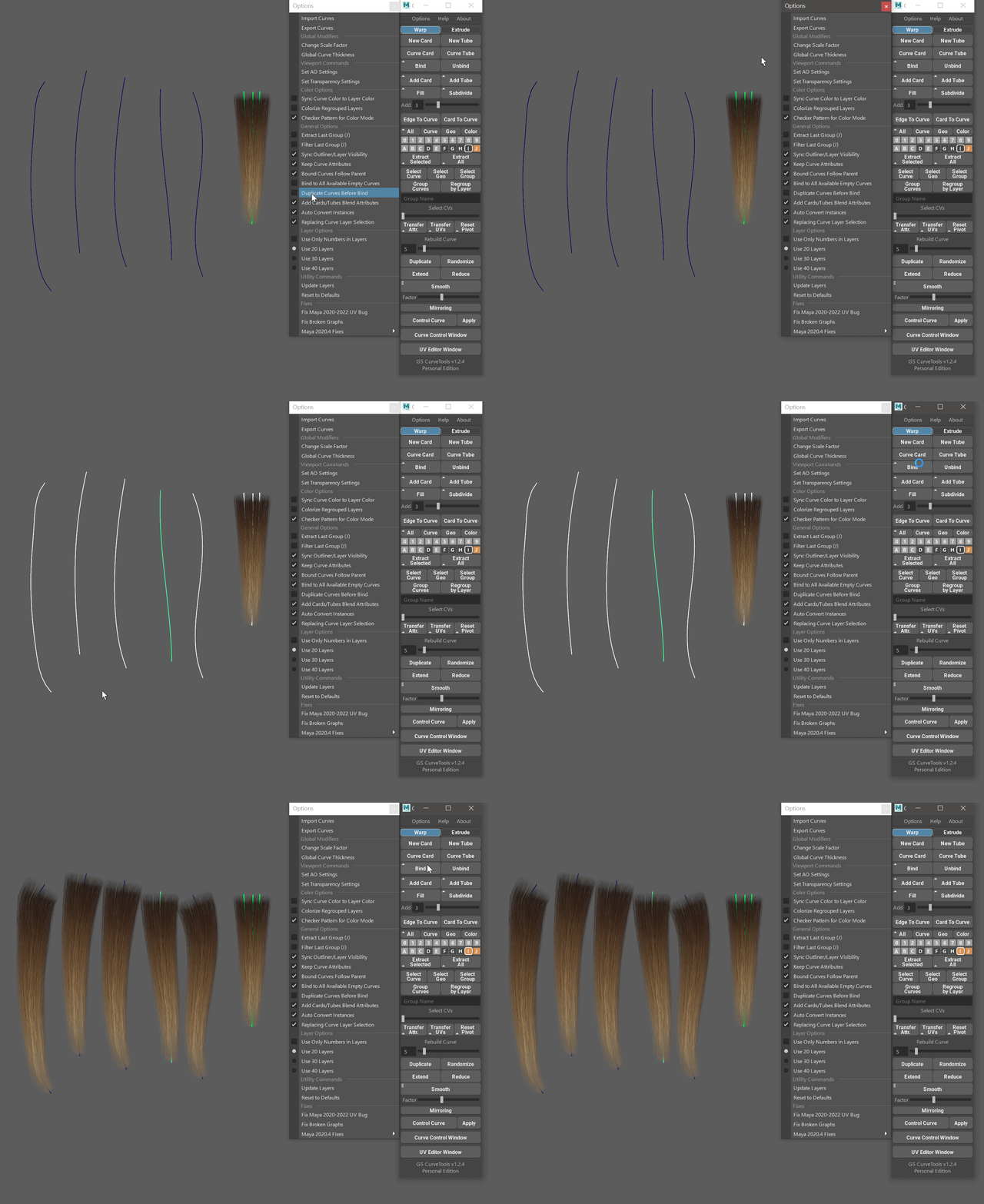
GS CurveTools v1.2.4 Minor Update - Orient to Normals and Mass Bind

News / 09 August 2021

GS CurveTools v1.2.4 Minor Update

Orient to Normals, Mass Bind and Mirror Improvements

This update for CurveTools is focused on improving workflow with bound cards (hair clumps) and also improving the overall usability of the Mirror Function.

The main new feature in this update is Orient to Normals function.

Orient to Normals

When creating hair (especially the shorter variations), it can be tricky to place all the cards and orient them correctly to the scalp. This manual process can take hours, and even days.

While Orient to Normal is not a "one button click" solution to making amazing looking hair style, it can definitely improve your workflow and save some time.

Orient to Normals main function is to orient all the selected cards to the normal direction of the base mesh. What that means, is that it will try to align all the selected cards so they are facing away from the mesh, just how they are supposed to be.

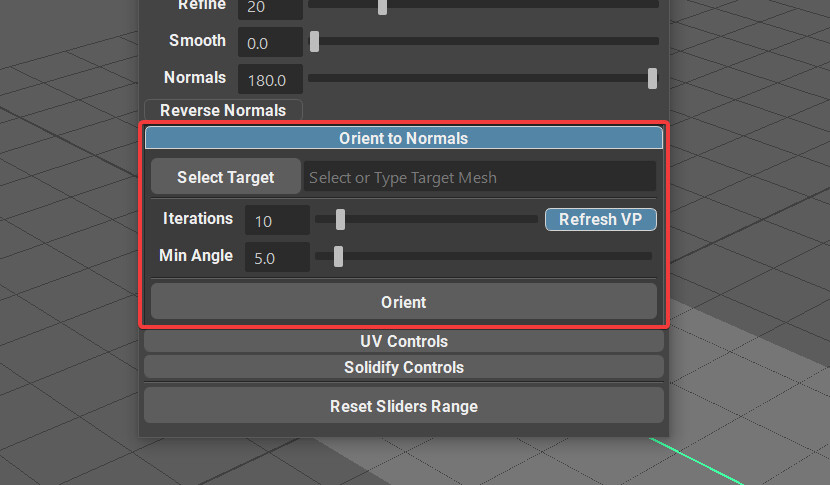
Orient to Normal consists of a Menu that can be found in a Curve Control Window. This menu will be active when either polygon mesh or nurbs curve is selected.


In this menu you can find a target mesh field as well as "Select Target" button.

To select a mesh as a target you can simply type the name of the mesh in the field, or select the mesh in the viewport (or outliner) and click on "Select Target".

Now that you have your target polygon mesh selected, you can simply select all the curves you wish to orient and click on "Orient".


You also have some options available for Orient to Normals function.

  • Refresh VP checkbox will Enable/Disable viewport updates during the orientation process. Disabling the updates can save some computation time and speed up the process, especially if you are orienting hundreds of cards.
  • Iterations control the maximum amount of iterations per card that is allowed to happen. Increasing the iteration count can result in a more precise orientation, but with longer computation times. It is not recommended to blindly crank up the iteration count as this can lead to very long computation times and the final result can be marginally better.
  • Min.Angle this slider controls the minimum angle tolerance that the Orient to Normals is targeting. The smaller the angle, the closer the orientation will be to the "ideal" alignment with the mesh. Please note that very small numbers can cause incorrect orientation calculation, depending on the position of the card. Recommended value is 3-5 degrees.

Hotkey for Orient to Normals function is also available in the Hotkey Editor

Notable limitations: Orientation works best with single sided cards. Tubular shapes, complex hair clumps and braids can have less accuracy during the orientation process.

Mass Bind

In this update there is a new option in the options menu called "Bind to All Available Curves". This option enables so called "Mass Bind" algorithm for the "Bind" function.

Enabling this option will result in two things:

First, it will automatically enable Duplicate Curves Before Bind option.

Second, it will automatically bind the selected hair clump (or geometry) to all available "Empty" curves.

"Empty Curves" simply means that there is no geo or clumps attached to this curve at this moment.

Important to note that this Mass Bind function acts exactly like the normal Bind, but simply applied to multiple curves in one click.

If the empty curves already have parameters on them (for example, you used Unbind to remove geometry from them before) those parameters will be automatically restored. This allows to use this workflow to change the bound cards "en masse" during your work.

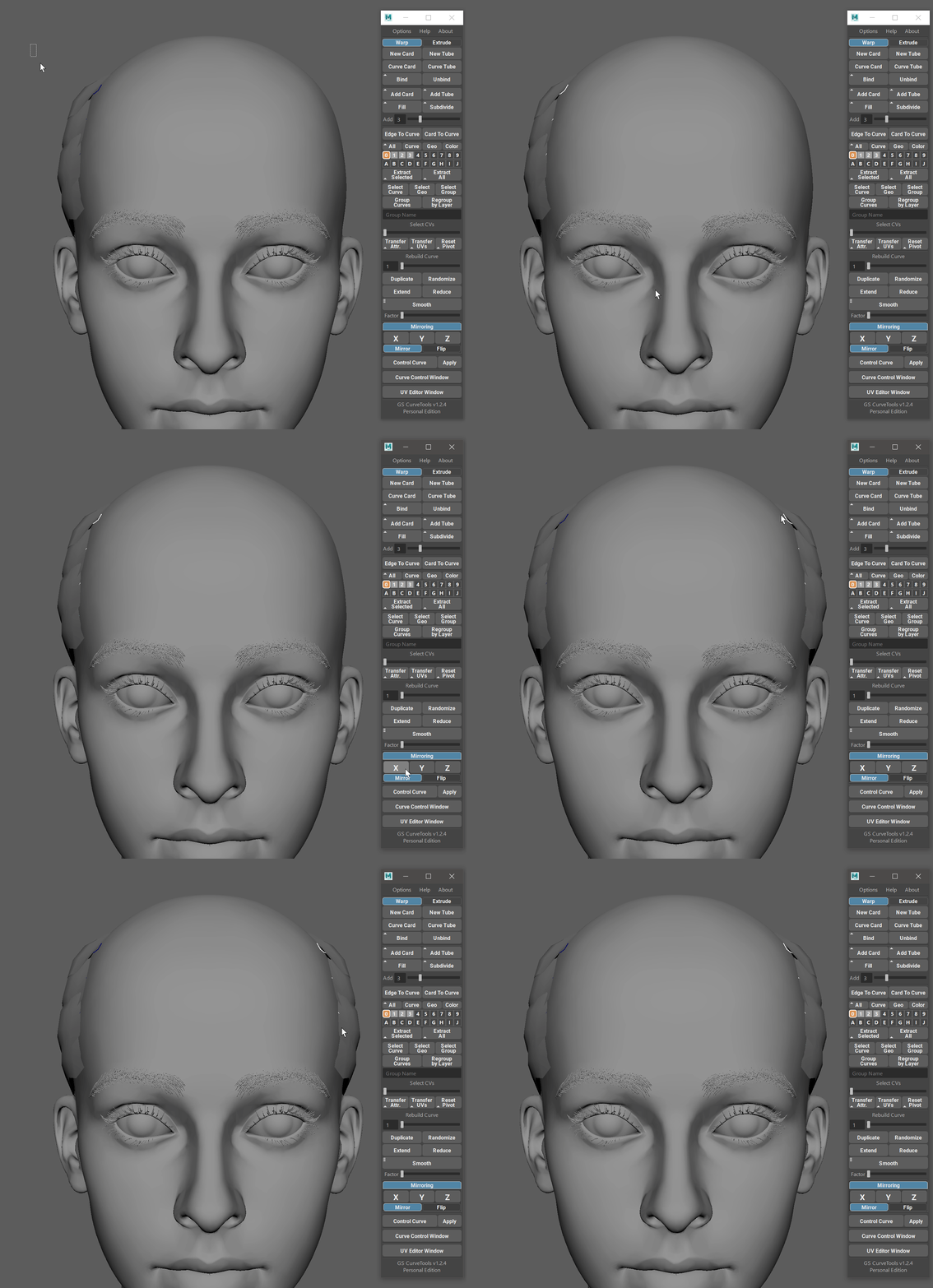
Mirror Improvements

With this update the Mirror Function introduced in 1.2 update received a major improvement.

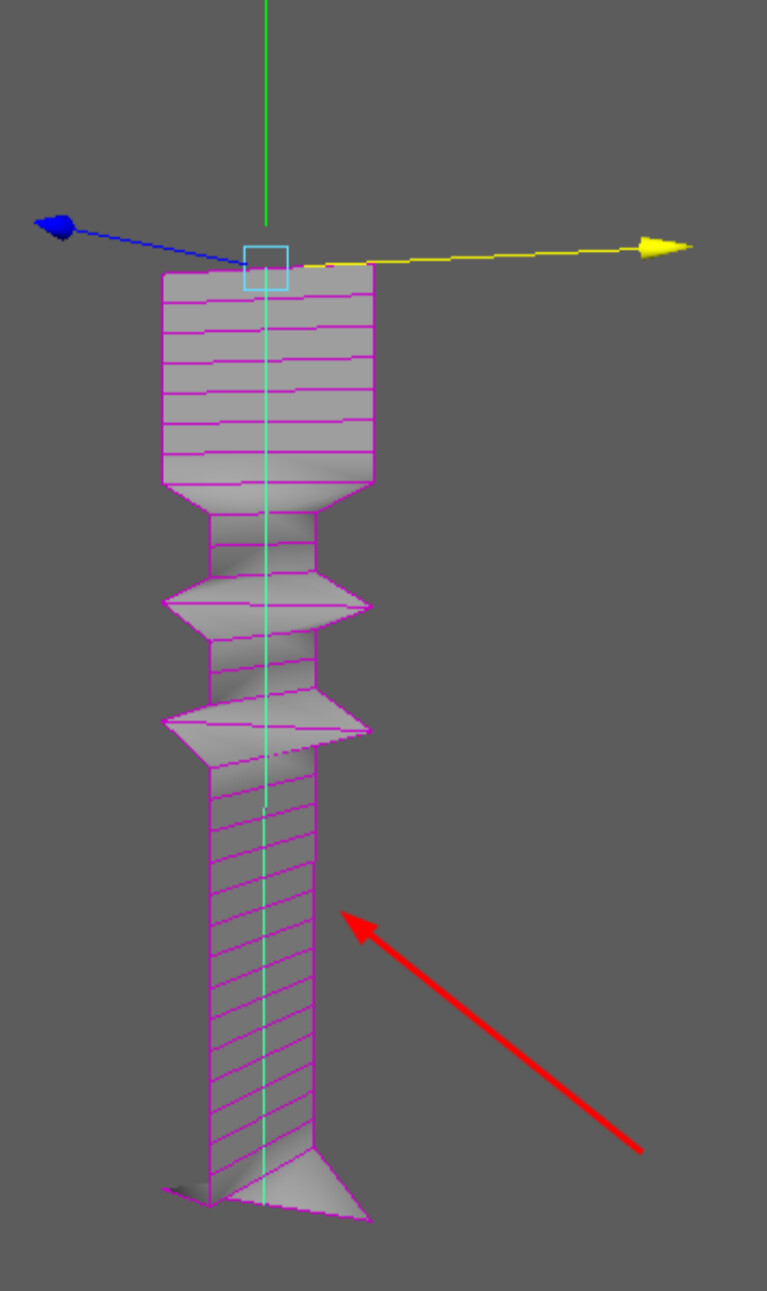
Before, mirroring cards sometimes resulted in an incorrect orientation of their mirrored copies.

After this update, orientation of single cards should be much closer to the original cards (but mirrored, obviously).

This works perfectly for single cards (Warp or Extrude). However, for complex shapes like hair clumps (Bound Cards) with a lot of components and different shapes and orientations (tubular shapes etc), this mirror function can have problems orienting the final mirrored result correctly.
FULL CHANGELOG

Report

May Mega Sale 30% OFF

News / 20 May 2021

May Mega Sale 30% OFF


Get 30% off on my store during the May Mega Sale on the ArtStation Marketplace from May 20 - May 26! DISCOUNT LINK


Report

GS CurveTools v1.2 Major Update Released!

News / 07 May 2021

GS CurveTools v1.2 Major Update Released


In case you missed it - the major free update for GS CurveTools plug-in for Maya is finally here!

Update Video

Main new features

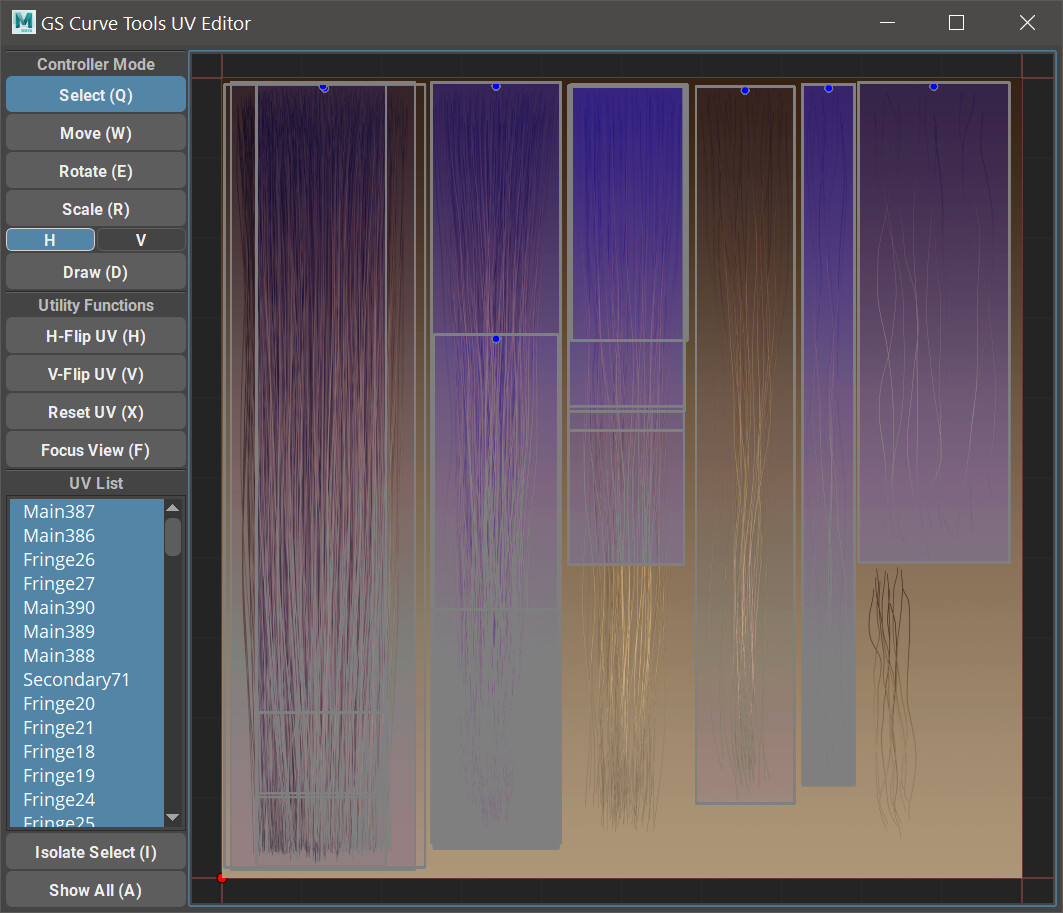
New UV Editor:

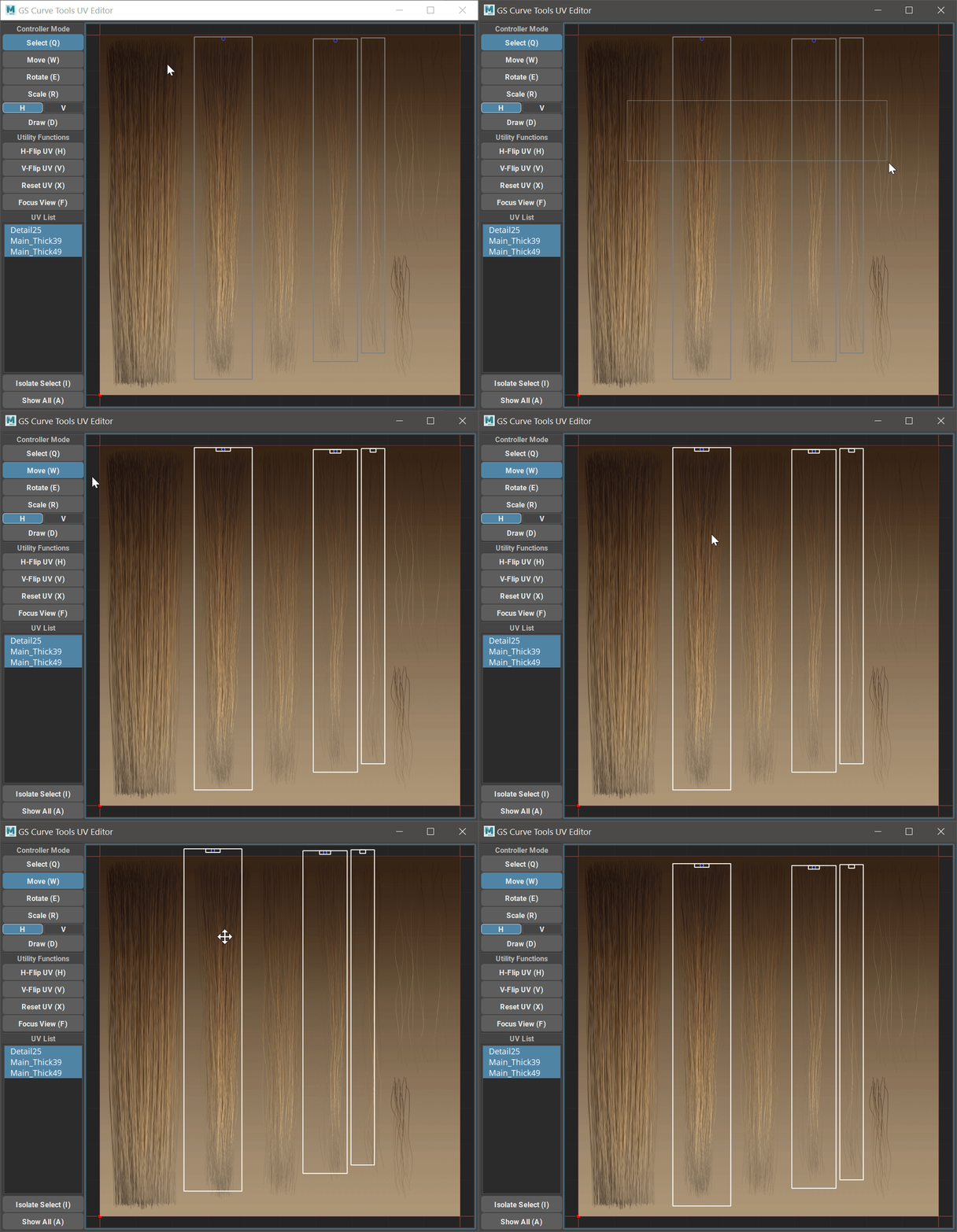
Move, Rotate and Scale multiple UV maps for your cards!

Draw UVs

and more.

Supported texture formats are PNG, JPEG and TGA

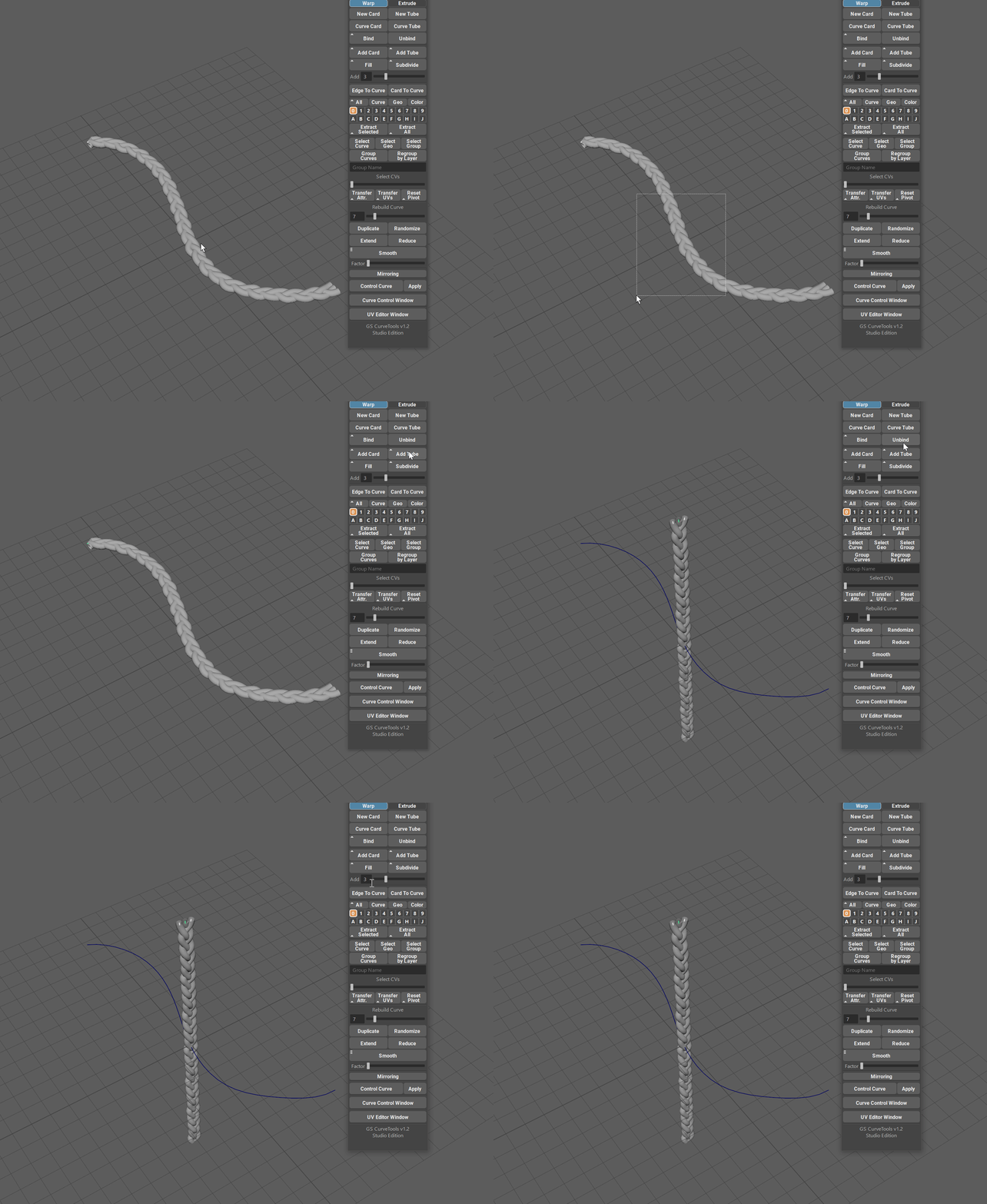
Unbind already Bound (Warp) cards:

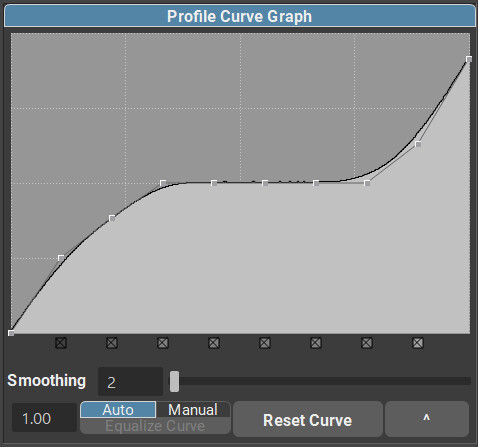
New Profile Curve Graph:

Control the profile of the curve along its length


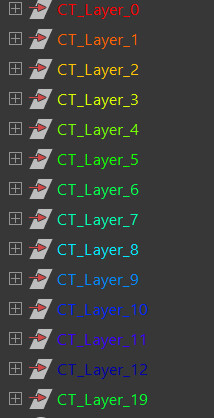
New Regroup by Layer function:

Organize your outliner in one click!

Compatible with Layer colors

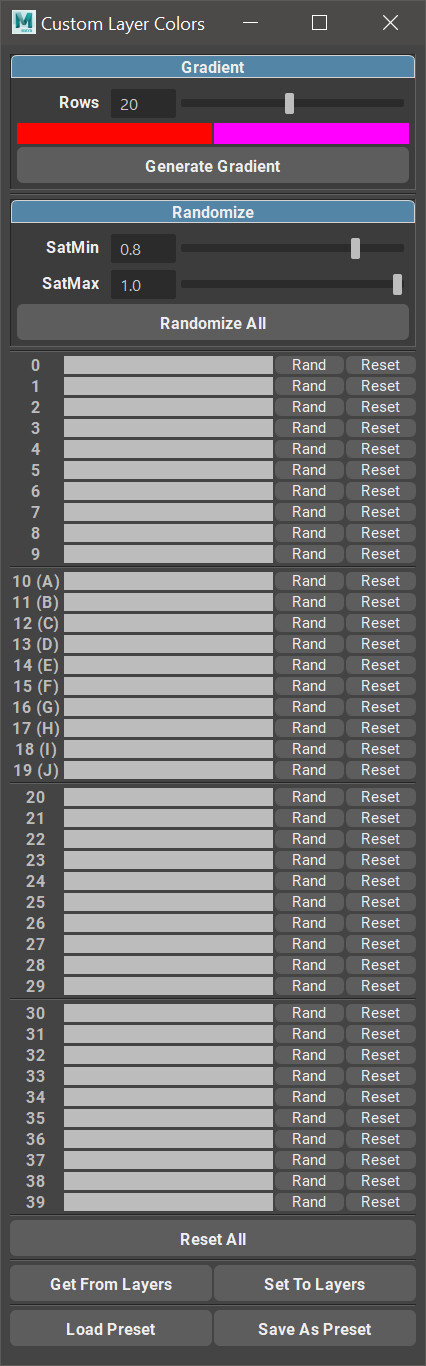
New Color Editor with global Preset:

Change layer colors for better visibility.

Sync path curve and Layer colors

Save Preset

Generate Gradients or Randomize

Changelog

Full changelog is here

Maya 2020-2022 UV Bug

Unfortunately, Autodesk did not fix the polyMoveUV node and Maya Binary format bug since 2020. It is still present in 2022.

Here is a workaround and fix: LINK

Works on 2020 and 2022 without any issues. No functionality loss because of it.


Report

Regarding Maya 2022 update and GS CurveTools and GS Toolbox

News / 26 March 2021

Regarding Maya 2022 update

Since Autodesk changed the version of Python for Maya 2022 from 2.7 to 3.7 (quite the leap), the GS Toolbox and GS CurveTools must be updated before they will work in the new version.


The update process from python 2.7 to 3.7 is fairly simple and no major issues with the compatibility so far, so the plug-ins will work just fine on 2022 after the update.

Maya 2022 in compatibility mode

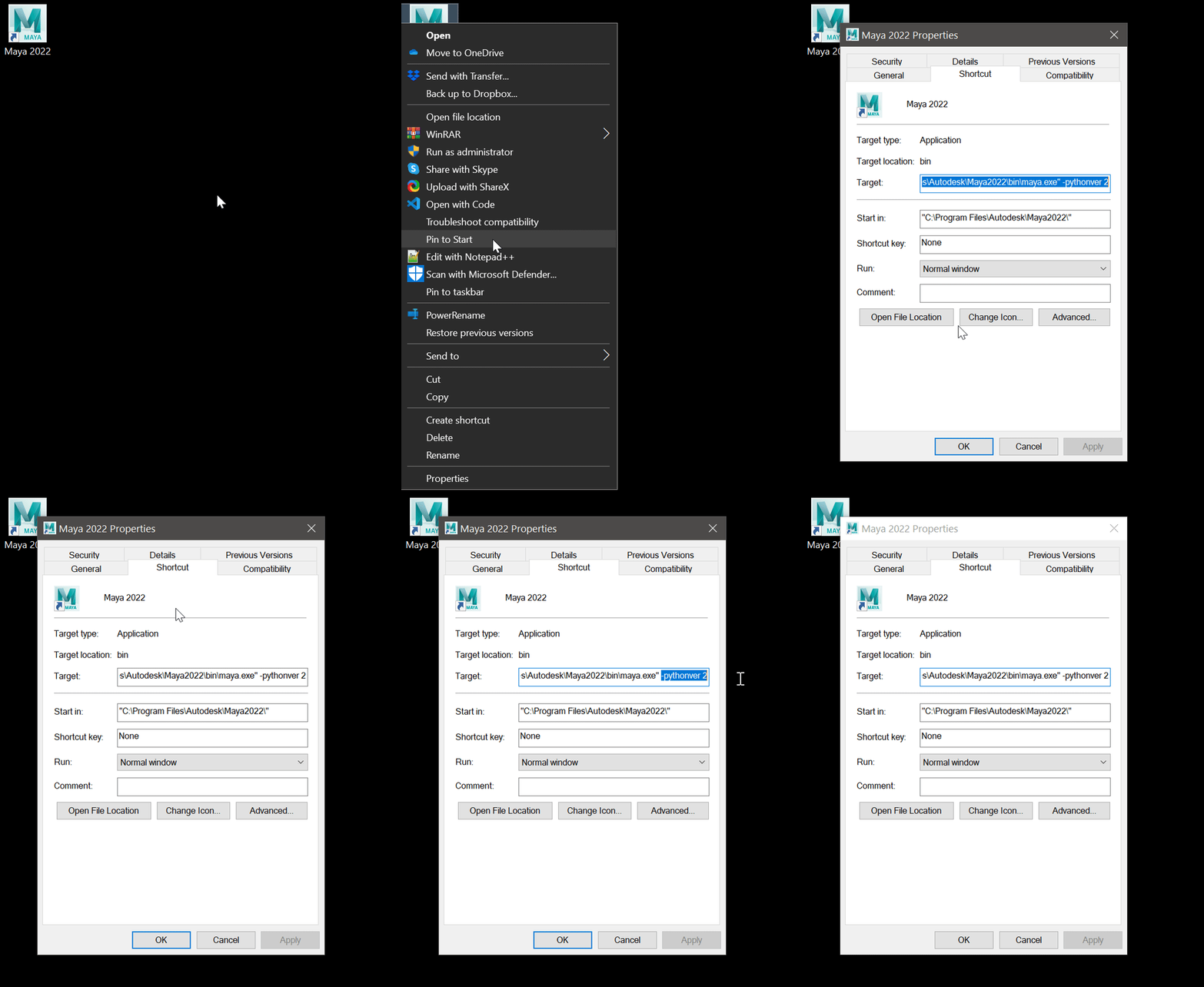
Another piece of good news is that you can actually run Maya 2022 in Python 2 compatible mode and the plug-ins work just fine! It's not a final fix or anything, and the update to the plug-ins will ensure that no such workarounds are necessary, but if you wish you can work in Maya 2022 already.

Here are some instructions from Autodesk: LINK 

You simply need to add a command to the Maya link path -pythonver 2 and that's it:

Maya 2020 UV Bug is still there in 2022 (Thanks Autodesk, very cool)

On the other hand, UV bug that was present in Maya 2020 is still there in 2022. Autodesk, as always, refuses to fix "minor" bugs and their polyMoveUV node is still broken. 

Workaround/fix for CurveTools works just fine in 2022 as well, and saving your project as Maya ASCII (.ma) file fixes the issue.
Here is more information regarding the Maya 2020 (and 2022) UV bug and how to fix it:  LINK 


All in all this update seems to be fairly non-intrusive and did not break GS CurveTools and Toolbox too much.


Thank you all for your continued support and have a great day!

Report